
To access and edit new leads head to Menu > Leads > New Leads
The window that will appear is a list of recent and unquoted leads.
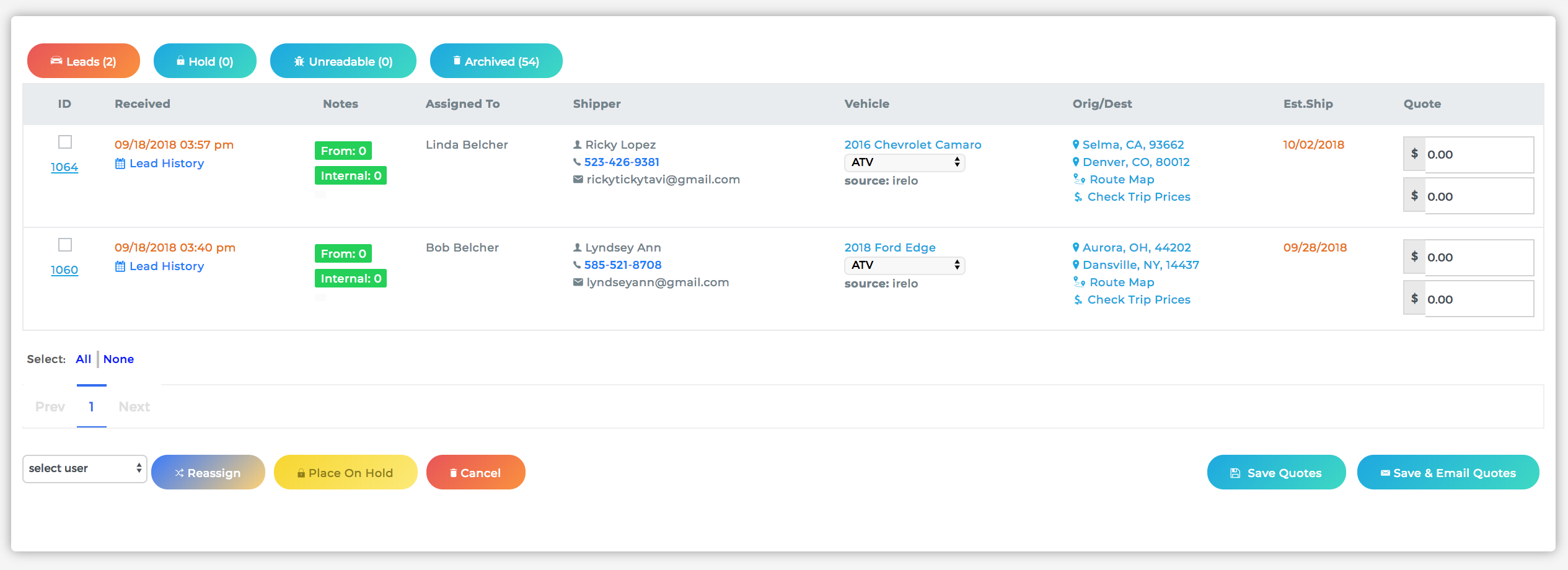
You can quote each lead from this window by inputing the tariff and deposit. To save the quote, simply select the lead's check box (located under ID) and click either "Save Quotes" or "Save & Email Quotes"
Another option would be to click on the Lead's ID Number (located under ID), which will take you to it's detail page.
Once there, click Action > Convert to Quote
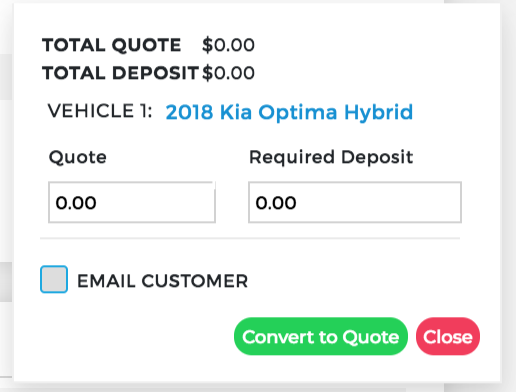
The window that appears allows you to input the quote amount and required deposit. You have the option to check the option to let Cronetic send an email to the client once you click "Convert to Quote"
The email that gets sent once converted from lead to quote is the "Initial Quotes" template and can be found in the Email Template settings.
Comments
0 comments
Please sign in to leave a comment.