
To configure your organization's shipper settings, head to Menu > Settings then click Integrations. Locate the Payment Gateway window and click Configure. Once there, click on General Settings to drop down the options.
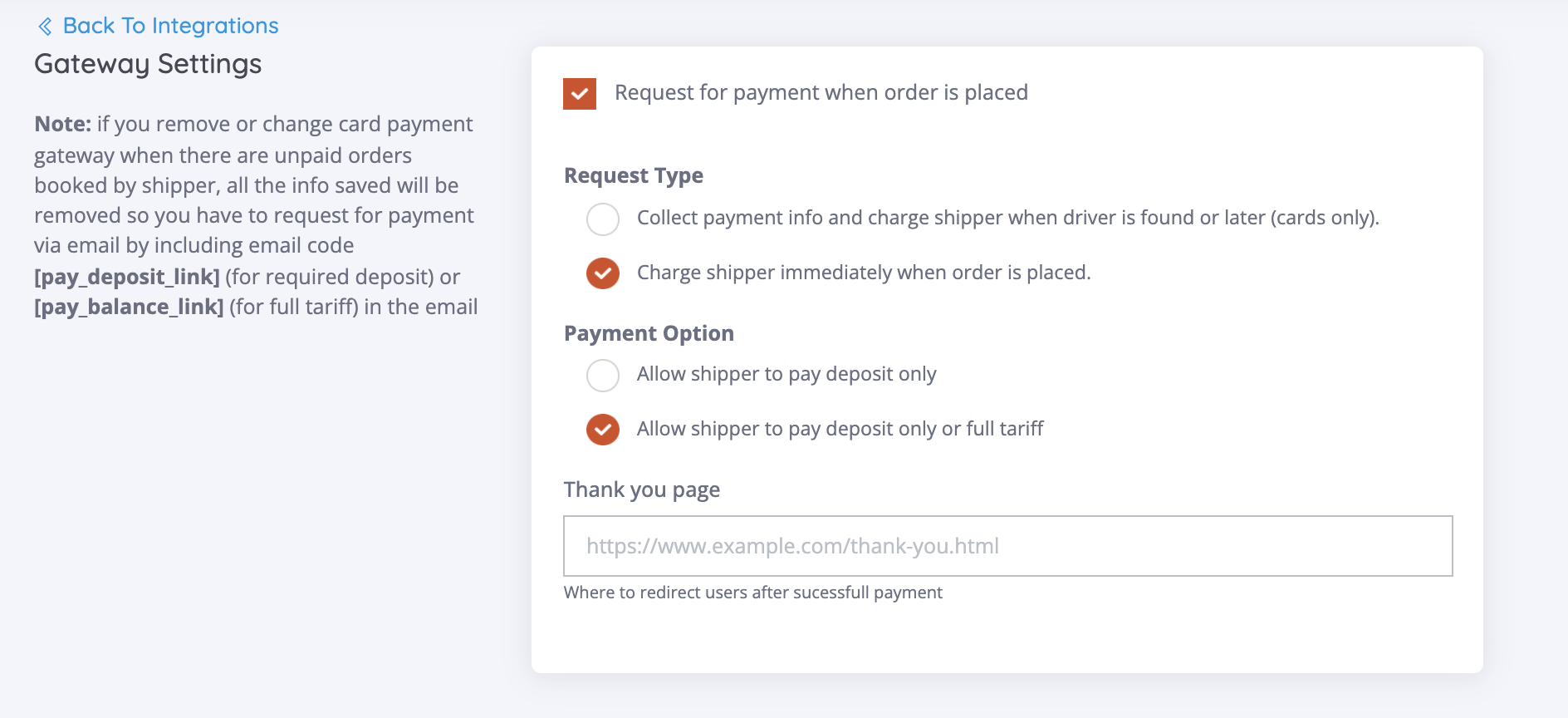
☑ Request for Payment when order is placed
This option enables payment method capture for shippers that book online. Once enabled, based on the settings below, a shipper can not complete an online reservation without inputting credit card details.
Request Type
☑ Collect payment info and charge shipper when driver is found or later
This option collects payment methods when shippers choose to book online. The shipper won't be charged until the agent sends a payment link that explains that a carrier has been secured.
☑ Charge shipper immediately when order is placed
This option captures payment when shipper books online. Based on the option the shipper chooses (Deposit only or Full Tariff) Shipper will be charged instantly upon completion of the online reservation.
Payment Option
☑ Allow Shipper to pay Deposit Only
The shipper will only have the option to pay a deposit only should they choose to book an online reservation or when an Agent sends a payment link.
☑ Allow Shipper to pay Deposit Only or Full Tariff
Allows shippers to choose when booking online between paying deposit only or full tariff. If the shipper books online and the Request Type option Collect payment info and charge the shipper when the driver is found or later is selected, the payment link will be forced on the option they chose.
Thank you Page
Redirect page after online reservation/payment is captured.
Payment page tracking script
The field for tracking scripts (Google Analytics, Facebook Pixel, Etc.)
Comments
0 comments
Please sign in to leave a comment.