
Will I lose data when I move my contact over to Cronetic?
When importing contact, you can choose what you want (or don’t want) to keep
The way our system works is likely different than the system you are coming from. There might be data that doesn’t map directly to a specific data field in Cronetic. If you cannot find an appropriate field to map within Cronetic, we recommend storing that data in notes.
What is a CSV File?
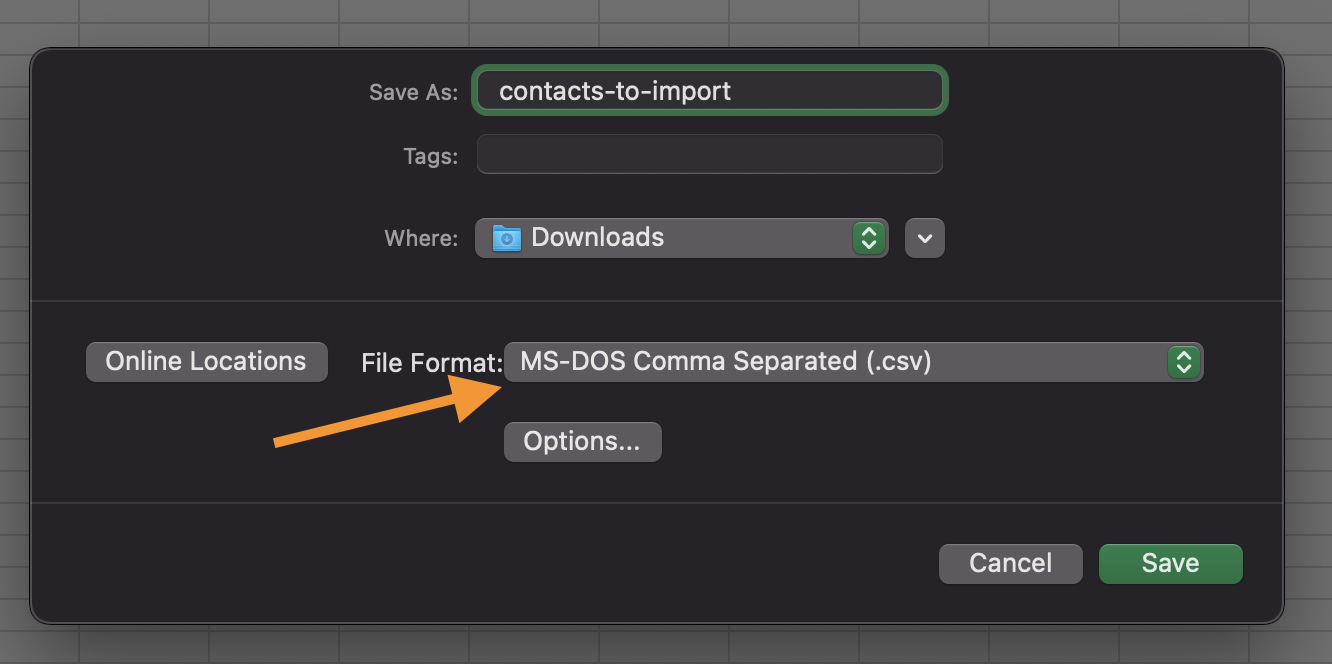
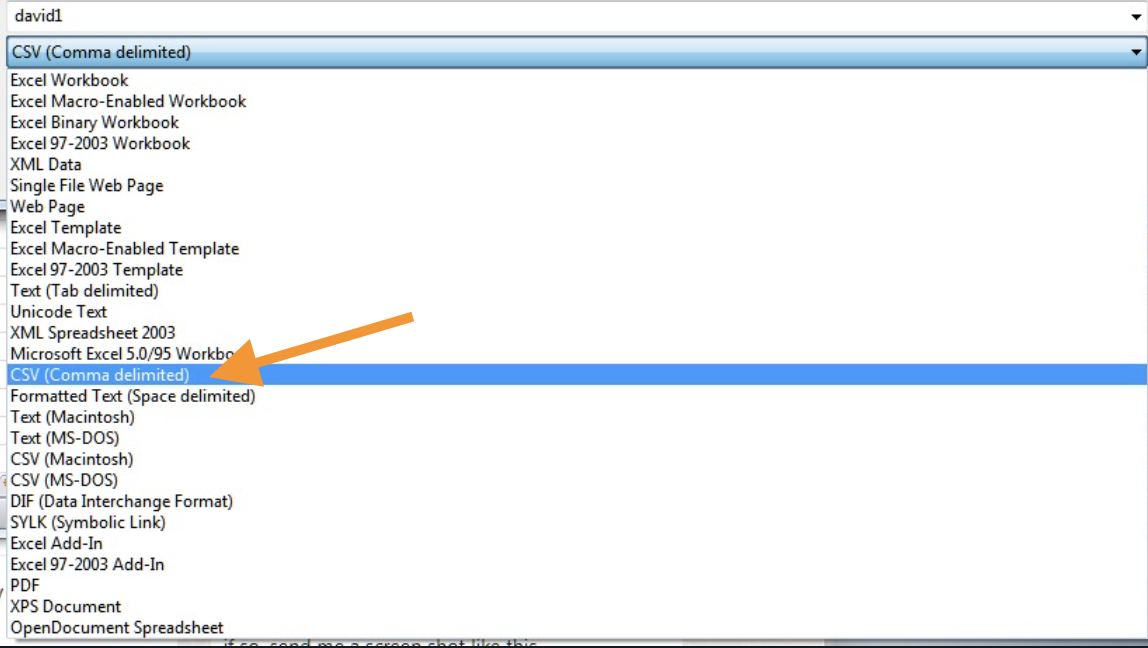
A CSV (comma separated value) file is a common data format for imports and exports. If your file is in another format like Excel .xls you'll want to convert it before uploading it to Cronetic.
- To convert a file using Microsoft Excel, you can follow these instructions.
- To convert a file using Numbers on iOS or Mac, you can follow these instructions.
What CRM systems can I import contacts from?
As long as your contacts are in a CSV format, we can import them. We do however, specialize in importing contacts from the following:
- Jtracker
- Megabee
- ProABD
Why should I have all my contacts in Cronetic?
While not all contacts might be active right now, that doesn't mean you should just forget about them. Discover and engage your past leads using our smart lists.
Can I send all of the contacts I've imported a mass email?
You can send out mass emails with our Batch Email feature.
We also integrate with MailChimp, Gmail and Sendgrid.
What if I have duplicate contacts or a contact already exists in Cronetic?
We will merge contacts based on a couple criteria:
- If email address matches, we will combine the contact info
Need help importing contacts?
No need to fear, if you need any help, email a .csv file of your past clients or leads to
support@cronetic.com and we will import them for you!
Comments
0 comments
Please sign in to leave a comment.