
To manage your user accounts, head to Menu > Manage Accounts > Agents
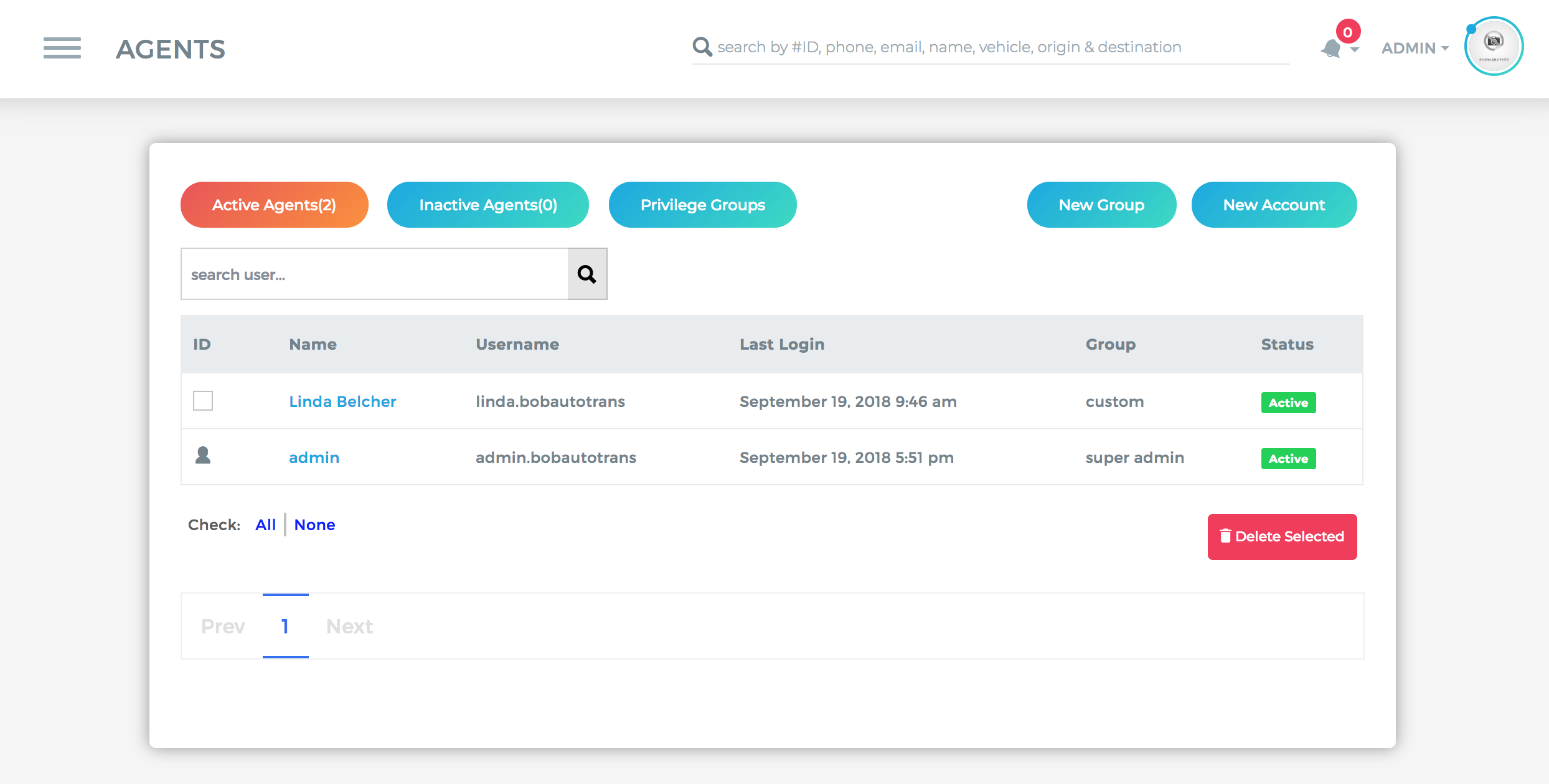
SUSPENDING A USER'S ACCOUNT
To suspend a user's account, click on the users account, then "Edit Details". On this window, find "Select Status" and change to Inactive. Be sure to save settings before leaving this window.
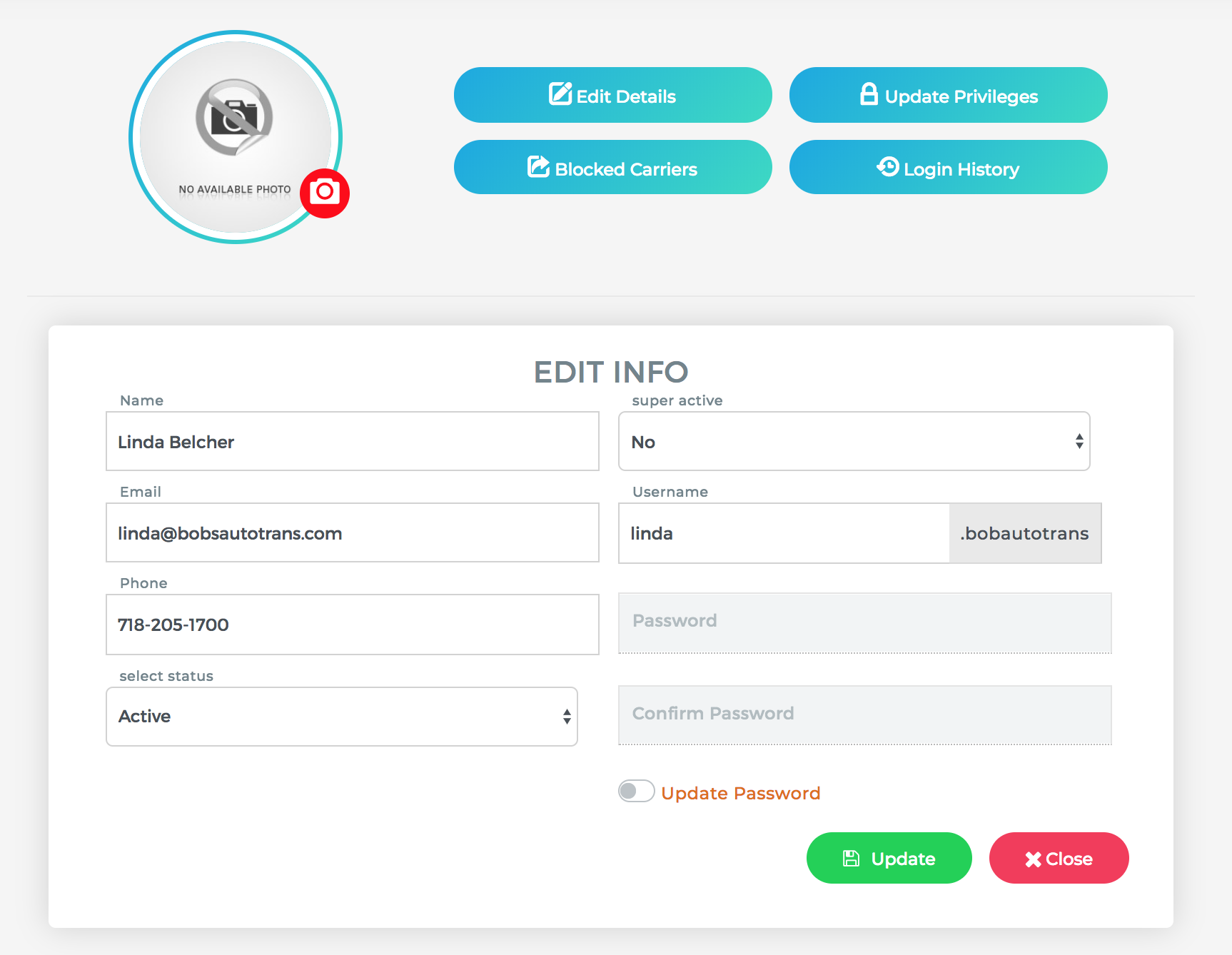
EDITING USER DETAILS
To edit users account contact details and login credentials, click on the user's name and then Edit Details.
Note: Agents have access to edit their own profile picture
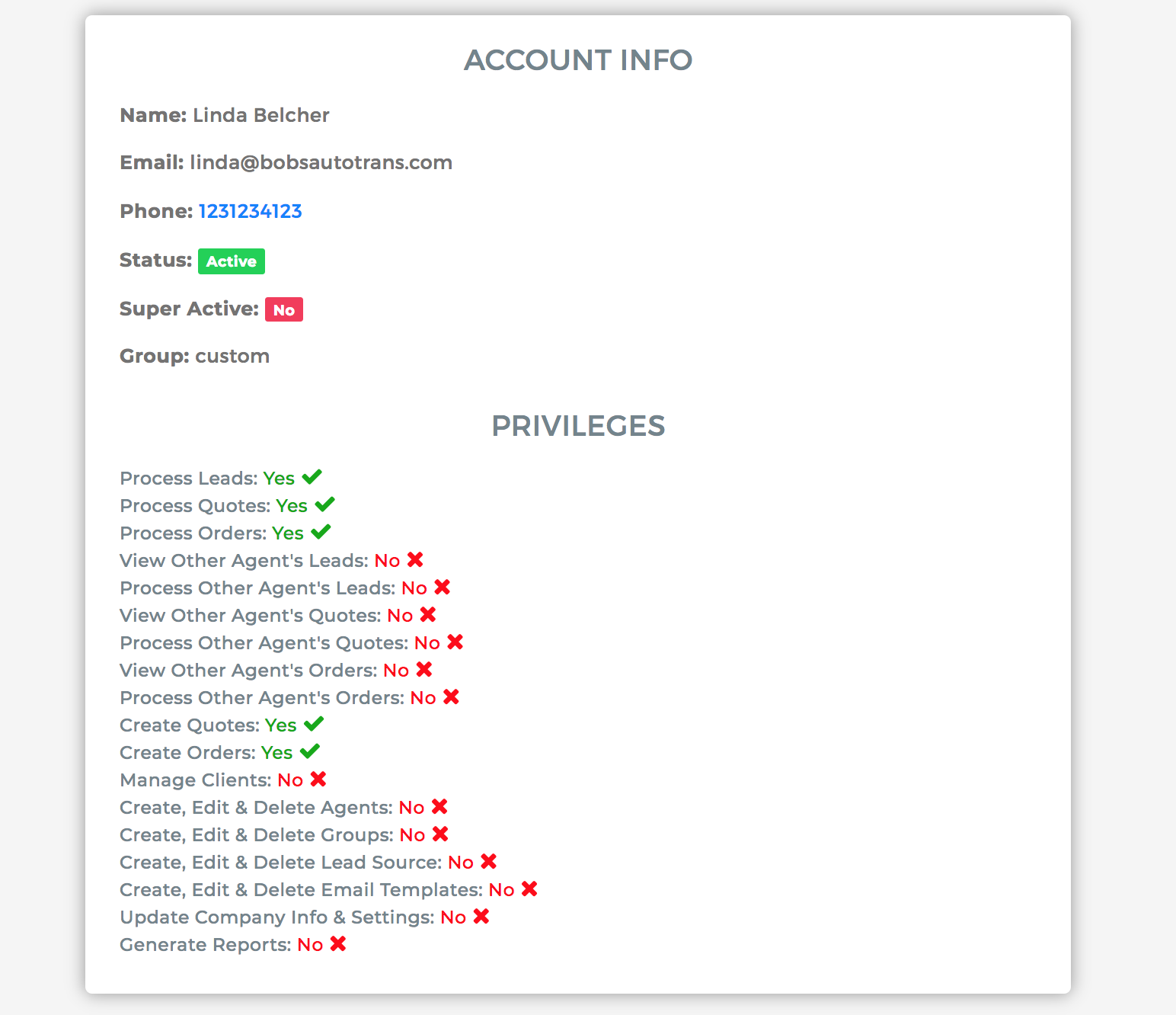
VIEW USER PRIVILEGES
To view your agents privileges, click on the users name.
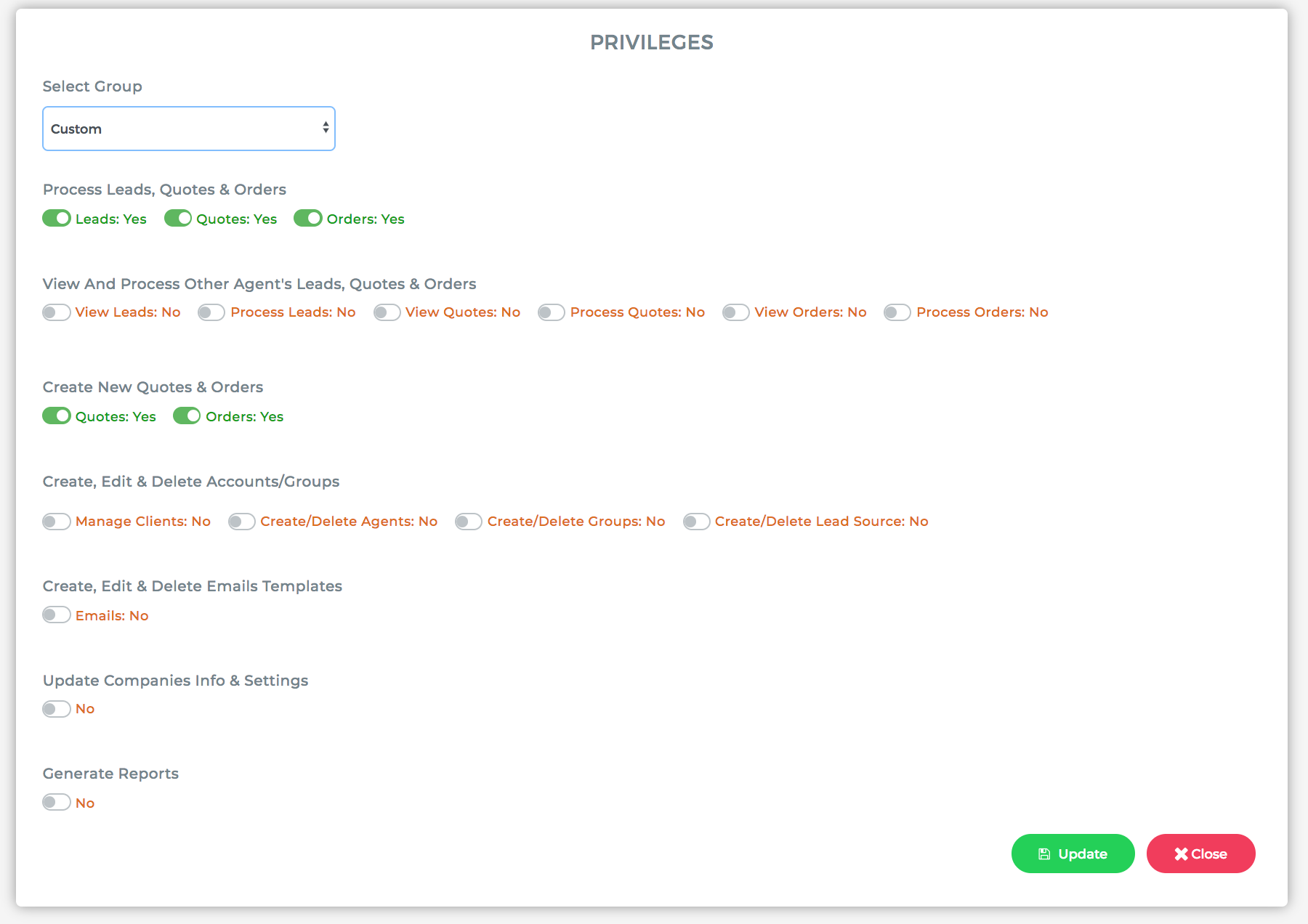
EDITING USER PRIVILEGES
To edit your agents privileges, click on the users name then Update Privileges
PRIVILEGES GLOSSARY
Process Leads
Allows user to edit and process leads assigned to them.
Process Quotes
Allows user to edit and process quotes assigned to them.
Process Orders
Allows user to edit and process orders assigned to them.
View Other Agent's Leads
Allows user to view leads assigned to other agents.
Process Other Agent's Leads
Allows user to edit and process leads assigned to other agents.
View Other Agent's Quotes
Allows user to view quotes assigned to other agents.
Process Other Agent's Quotes
Allows user to edit and process leads assigned to other agents.
View Other Agent's Orders
Allows user to view quotes assigned to other agents.
Process Other Agent's Orders
Allows user to edit and process leads assigned to other agents.
Create Quotes
Allows users to create a quote that did not originate from a lead.
Create Orders
Allows users to create an order that did not originate from a lead.
Manage Clients
Grants users the privilege to edit and delete clients from Cronetic.
Create, Edit & Delete Agents
Grants users the privilege to create, edit and delete Agents from the organization's account.
Create, Edit & Delete Groups
Grants users the privilege to create, edit and delete groups from the organization's account profiles.
Create, Edit & Delete Lead Source
Allows user to manage lead sources and lead distribution
Create, Edit & Delete Email Templates
Allows user to access and edit email templates
Update Company Info & Settings
Allows user to edit company profile and settings
Generate Reports
Allows user to access reporting
Comments
0 comments
Please sign in to leave a comment.