
To integrate your Central Dispatch account to your Cronetic account, you will need an active Central Dispatch Account.
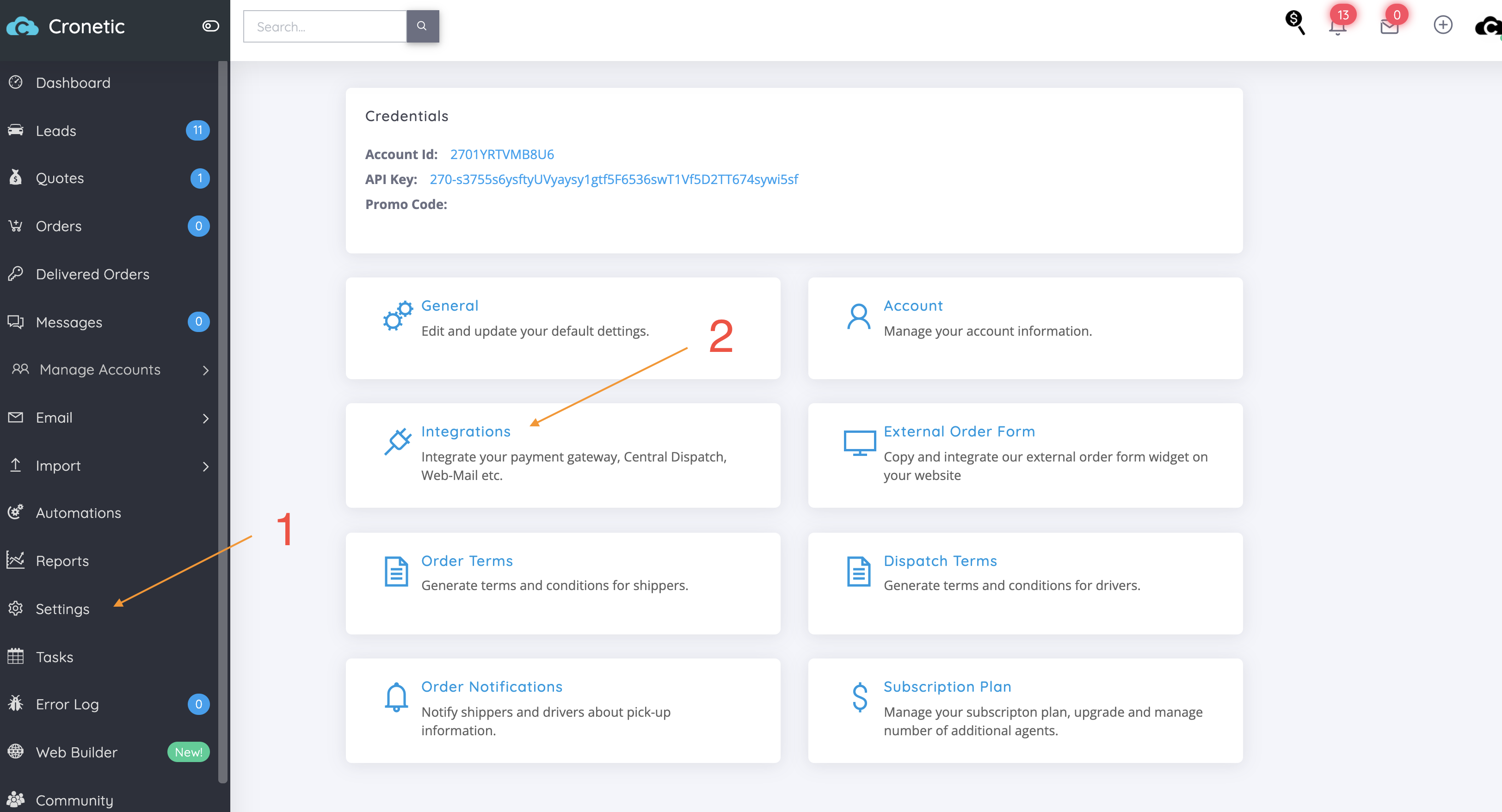
To get to your Cental Dispatch Account Integrated, head to the Left Side Bar Menu Settings Integrations.
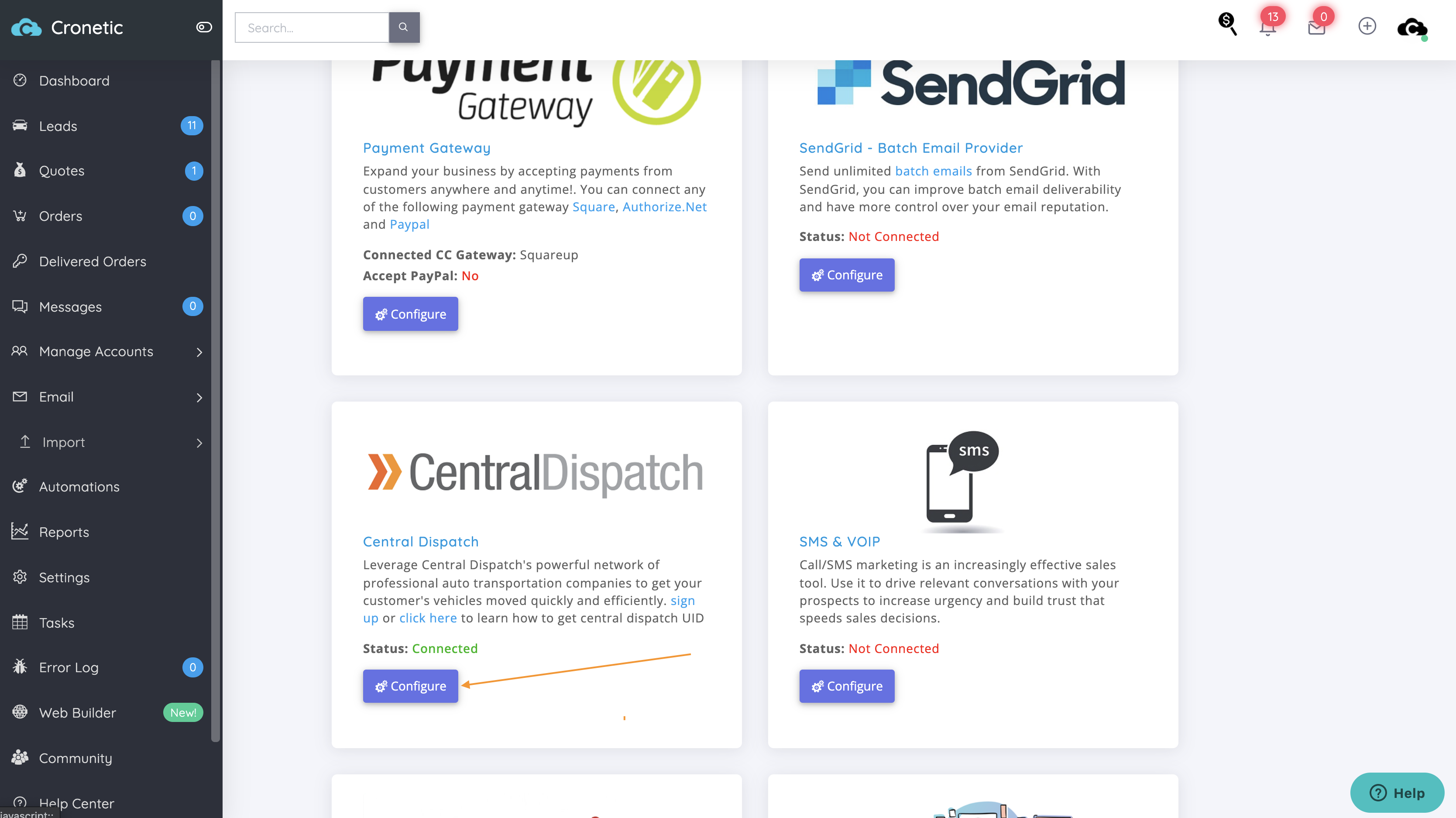
Then click the Central Dispatch Card.
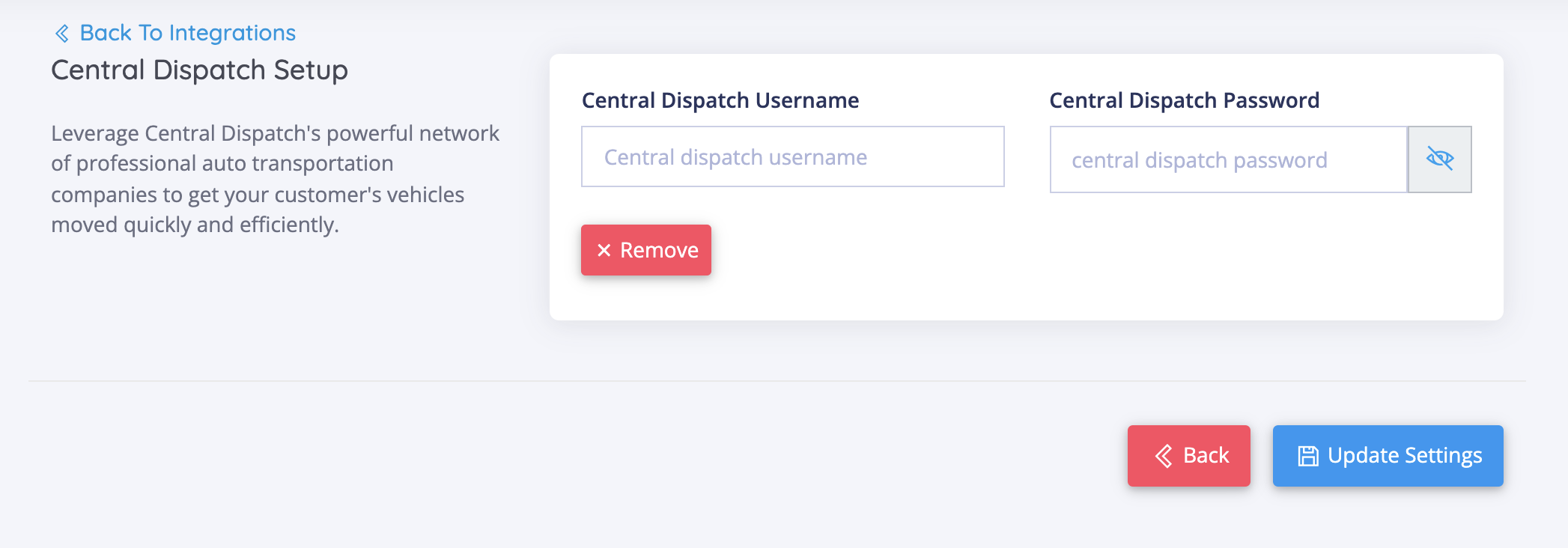
Enter your Central Dispatch Credentials and click the "Update Settings"
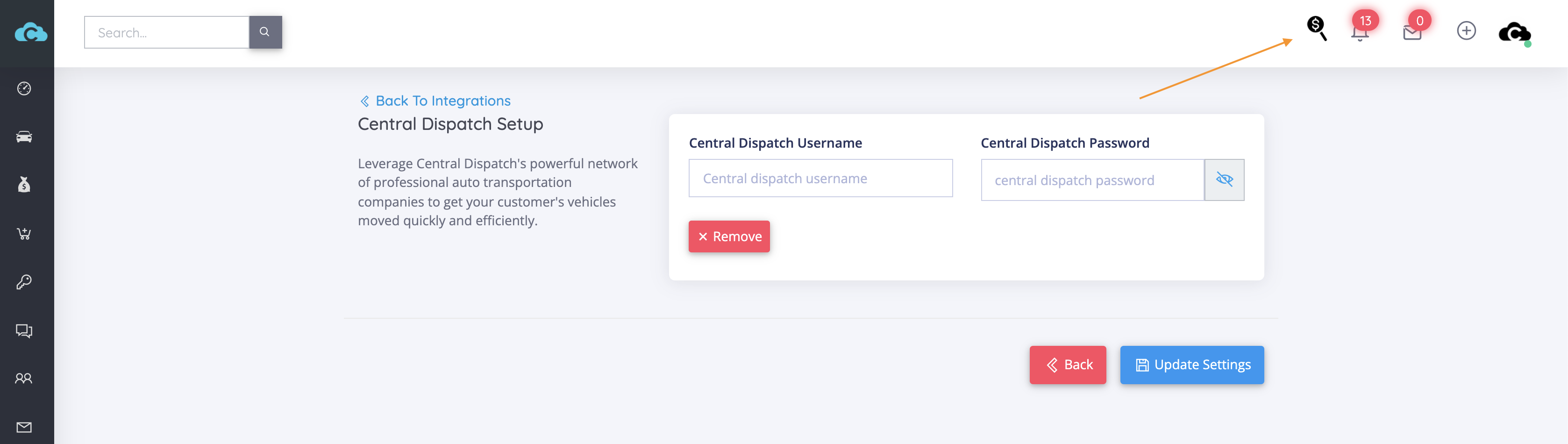
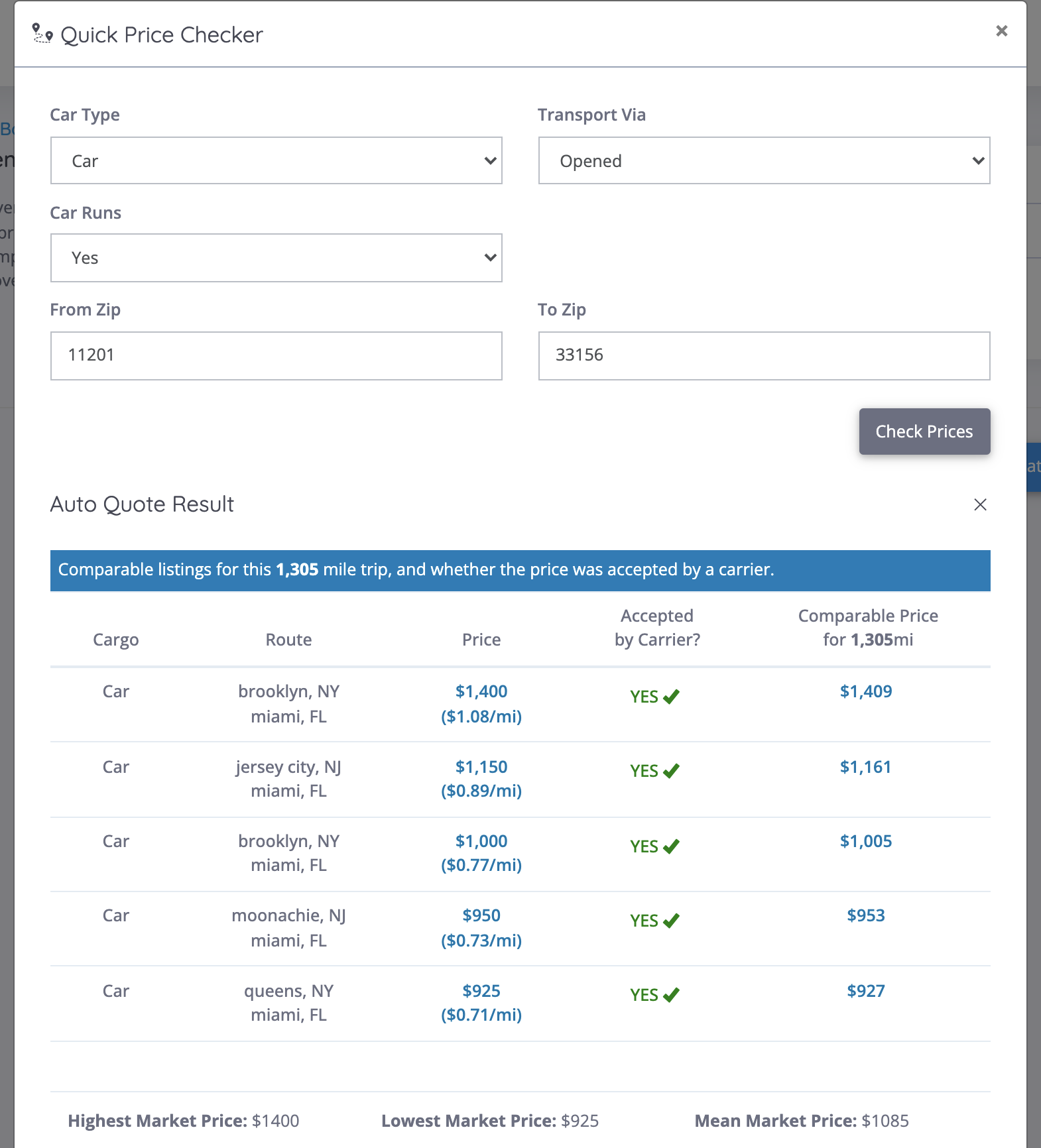
To confirm that your integration is successful, try getting a quick rate by clicking the Magnifying Glass on the top-right menu.
Test the Quick Price Checker with a common route.
If you run into any issues, first confirm that your credentials are correct by logging into your Central Dispatch account without your browser's password assistant.
Should you run into any issues with integrating your account, please contact me by emailing support@cronetic.com or create a ticket.
Comments
0 comments
Please sign in to leave a comment.